BoxLock logo
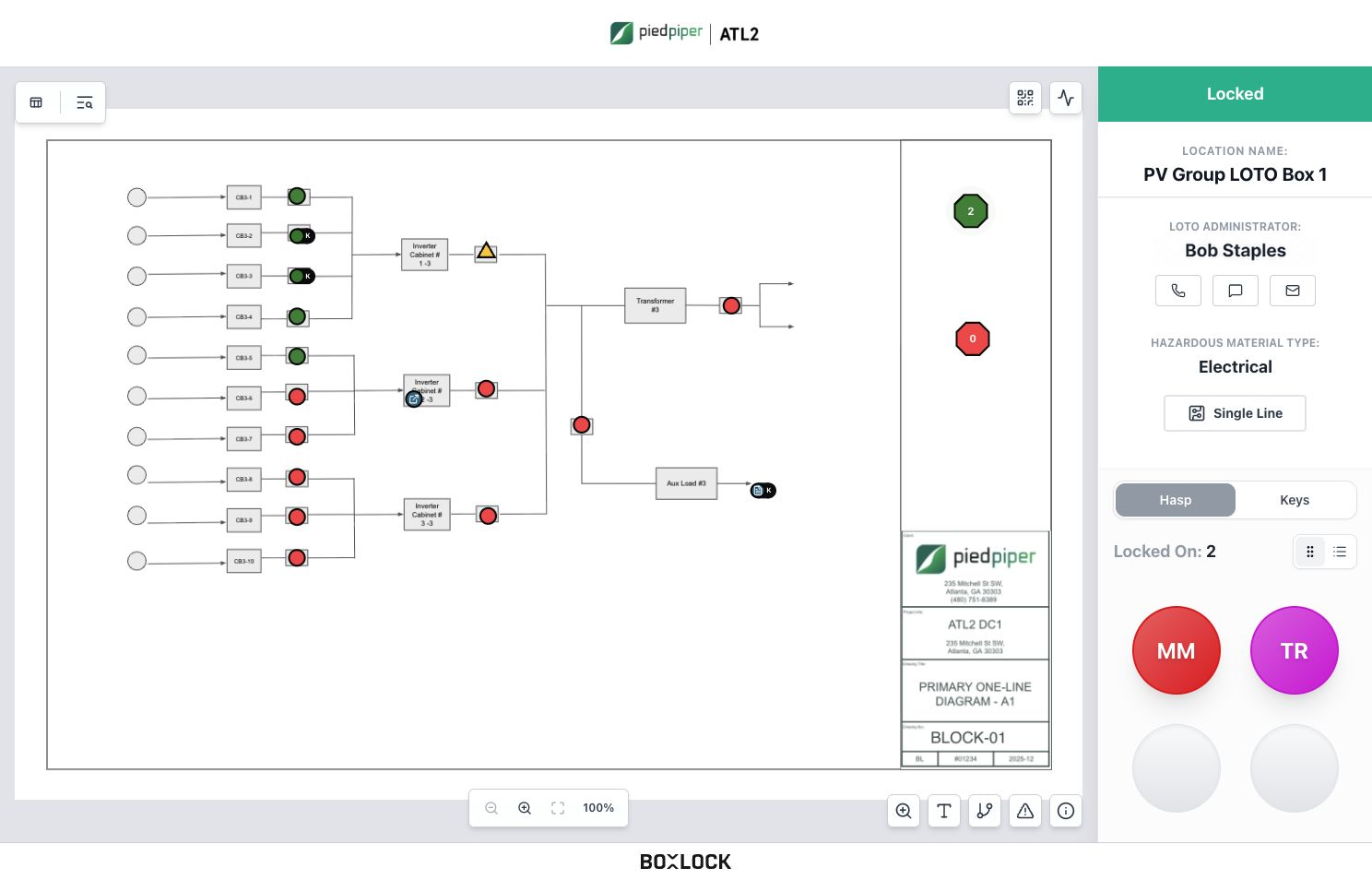
BoxLock Station showing the single line drawing, reported lock status, and workers locked on
Illustrative scan sequence using the BoxLock Station demo

Built for Real Work

Digital
Lockout/Tagout

BoxLock delivers digital lockout tagout for industrial environments where failure is not an option. Our platform modernizes Lockout Tagout (LOTO) by transforming manual, paper-based procedures into a real-time, verifiable hazardous energy isolation system.

Built for complex mission-critical operations such as renewables, data centers, and manufacturing, BoxLock improves compliance, accountability, and operational efficiency while reducing lockout risk.

20+ GW

Built on field experience

BoxLock is trusted by the builders and operators powering today’s world

RenewablesData CentersManufacturingOperations

  • Baker Group
  • EllisDon
  • Gaylor Electric
  • McCarthy Building Companies
  • Newtron Group
  • Sturgeon Electric

What is digital lockout tagout?

Beyond Paper Lockout Logs

Connect physical locks to worker participation and a digital record. Give the field and office a shared view of the job

Built for complex LOTO programs

  • OSHA 1910.147 and NFPA 70E aligned workflows
  • Group lockout tagout visibility across distributed teams
  • Exportable records for audits, investigations, and compliance reviews
  • Connected lock and tag combinations for different isolation points
Paper hazardous energy control log used in traditional lockout tagout workflows

Traditional LOTO

Physical padlocks protect the work. Paper logs leave supervisors with limited office visibility and records to reconcile by hand

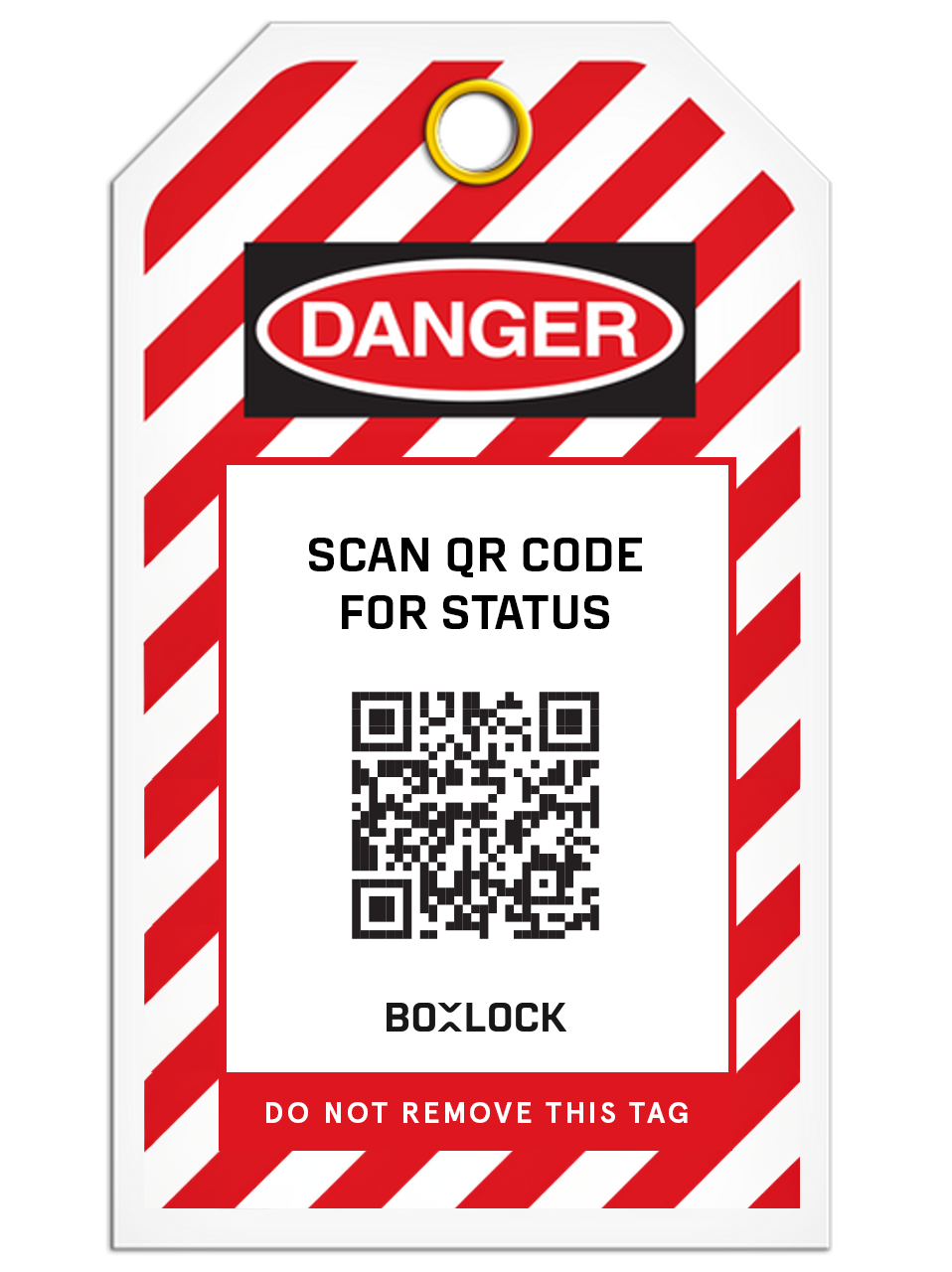
QR-enabled digital lockout tagout tag in a hazardous energy isolation deployment

Intelligent LOTO

Connected padlocks, badge scans, and QR tags link the physical workflow to digital records that teams can review and export

Connected devices. Group LOTO

First On. Last Off

Control access to isolation keys. BoxLock Intelligent Padlocks open for the first worker on and the last worker off. Between those points, the connected lock stays closed as workers join and leave

  1. Scan In. Isolate

    The first worker scans their badge to open the connected lock and check-in the keys for physical isolation. Key scans record check-in and check-out

  2. Each Worker Counts

    Each subsequent worker scans their own badge to join and leave the group lockout. Their participation keeps the connected lock closed until the last worker locks off

  3. Last Off. Keys Accessible

    The last worker scans off and the connected lock opens, providing access to the isolated keys. Keys can be checked out and are automatically assigned to the last worker

Group LOTO lockboxes holding isolation keys, secured with BoxLock connected locks, keyed padlocks, and QR tags
Yellow BoxLock padlock and QR LOTO tag securing a red valve lockout on a pipe
Purple BoxLock keyed padlock securing a red group lockout hasp on an electrical enclosure, with a QR LOTO tag

1 / 3

Complex Group Lockout with BoxLock Padlock

Permits, locks, and tags

Control Where Work Happens

Connect work permits, key custody, and printed tags to the locations your crews work on

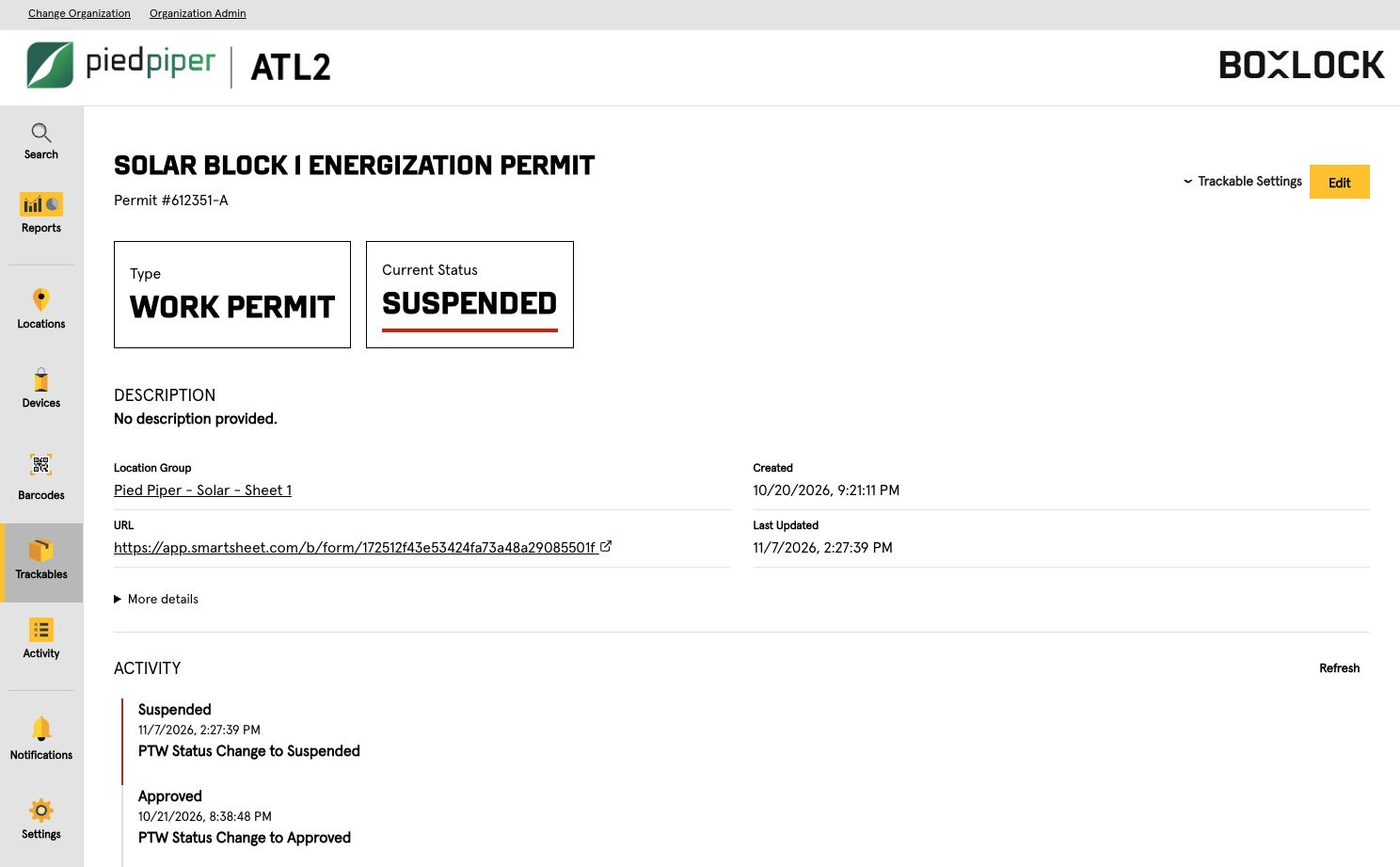
BoxLock Control showing a suspended work permit, its location group, and activity history
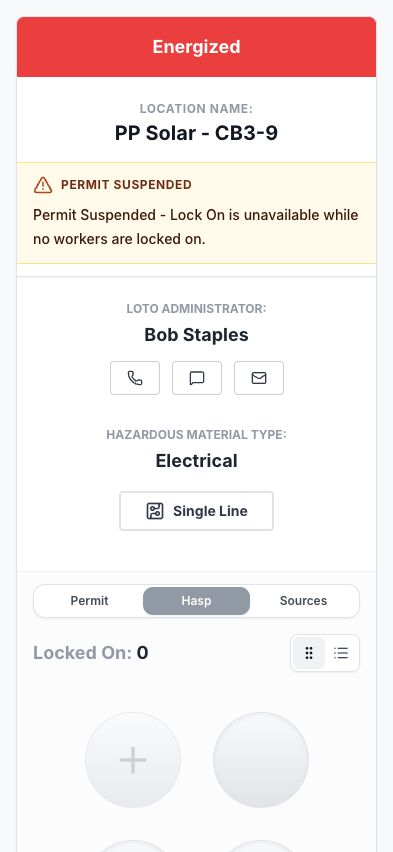
Mobile LOTO Station showing the Permit Suspended banner for PP Solar CB3-9

Permit to Work

Keep permission and isolation in the same picture. See which work is approved, active, or complete

  • Link permits to locations and groups
  • Track requested, approved, active, suspended, and completed status
  • Review timestamped activity
BoxLock keyed LOTO locks with matching serialized keys

Track Every Key

Scan keys at check out and check in to record who holds them

  • Match BoxLock keyed locks and keys by serial number, QR code, and color
  • Review recorded key custody at the station
  • Connect key custody to the group LOTO workflow
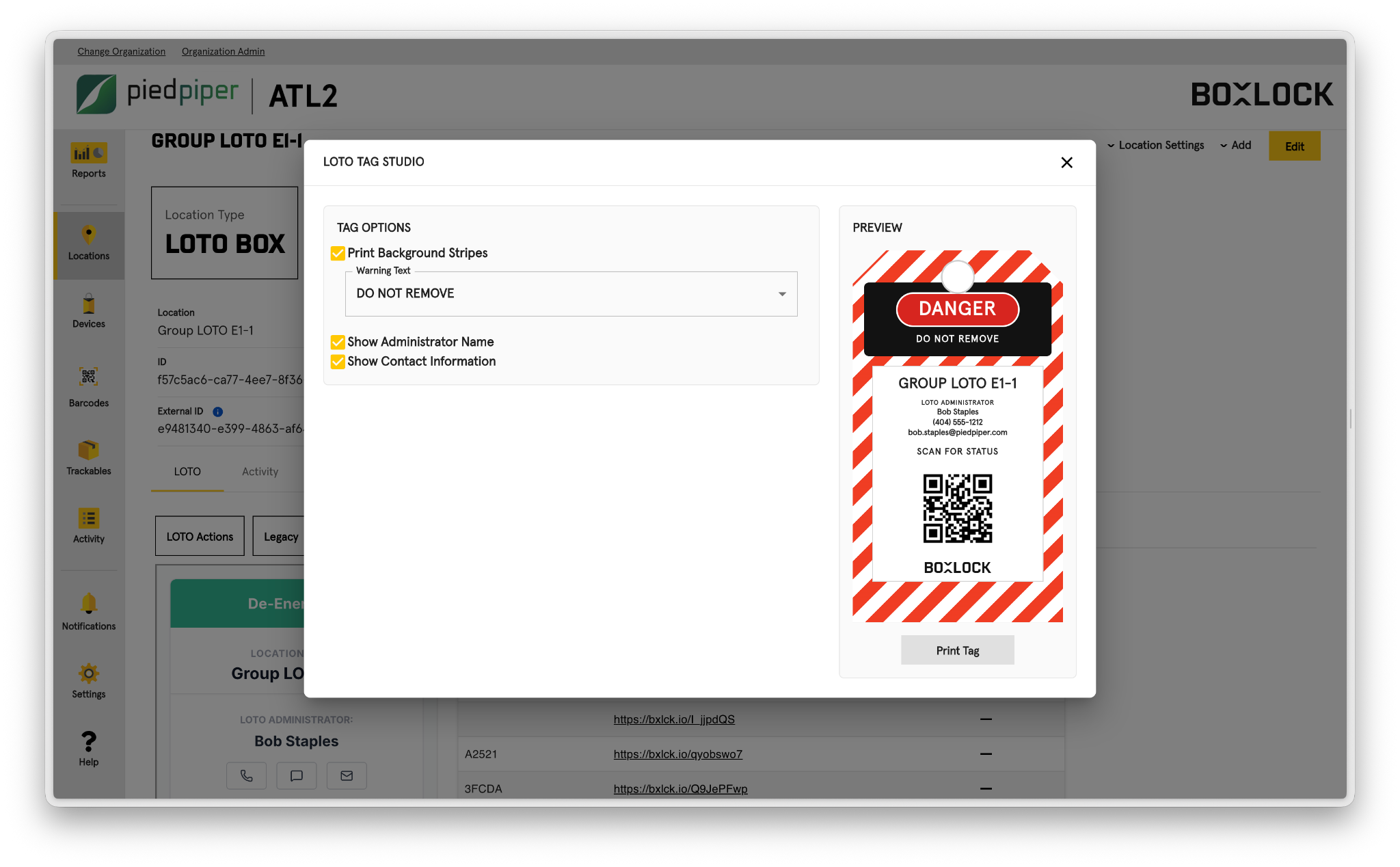
Tag printing controls and a preview tag with demo administrator Bob Staples

LOTO Tag Printing

Make the tag a direct link to the work. Print location specific QR tags that open digital status

  • Choose warning text and background stripes
  • Include administrator and contact details
  • Preview before printing

Your Drawings. Your Control

Put your facility drawings to work with BoxLock’s powerful Single Line Drawing Editor. Map isolation points, define power sources, and connect drawings in one place

  • Map isolation points and power relationships
  • Link drawings across connected systems
  • Navigate quickly with keyboard shortcuts

Work natively in BoxLock or use single line drawings from Autodesk, Fieldwire, or Bluebeam

Autodesk integration logo
Fieldwire integration logo
Bluebeam integration logo

Single Line Drawing Editor

Map isolation points and define power relationships in your drawings

BoxLock Control / Single Line Drawing Editor

BoxLock Control: Map isolation points and define power relationships in your drawings

Field Status. In View

Scan a LOTO tag to see the isolation point’s reported status, recorded worker participation, and linked drawings. Contact the LOTO administrator or request a worker’s lock removal from the same view

  • Open linked drawings at the point of work
  • Request lock removal and document forced removal
  • Find LOTO administrator contact details
Worker viewing LOTO status on a phone beside a tagged solar isolation pointWorker viewing LOTO status on a phone beside a tagged solar isolation point

LOTO Logs and Reporting

Connected padlocks automatically log lock events. Badge and key scans record worker participation and custody; reported status records provide operational context. Review the activity together and export it for handoff

  • See LOTO status across location groups
  • Review active locks and worker activity
  • Identify locks applied the longest
  • Export reports for review and handoff

The Operating Picture

Review organization status and compare isolation activity across location groups

LOTO Report / The Operating Picture

LOTO Report: Review organization status and compare isolation activity across location groups

New Item

Red, yellow, and purple BoxLock keyed LOTO locks with matching serialized keys and QR codes

BoxLock Keyed LOTO Locks

Every Key Accounted For

Serialized locks. Matching keys. Clear identification by number, QR code, and color for your isolation points

Talk to Sales
  • Red
  • BoxLock Yellow
  • Blue
  • Purple
  • Green

Custom colors available

Summer 2027

Side profile of the upcoming red BoxLock Gen 3 LOTO lock

BoxLock Gen 3 LOTO Locks

No Phone. No Problem.

Purpose built LOTO locks are coming Summer 2027. Smaller, lighter, and thinner, with the robust automations and connectivity you expect from BoxLock

Join the Waitlist
  • Red
  • Yellow
  • Blue

Custom colors available

Make LOTO Defensible

Review how digital isolation records reduce risk across every shift